
We’re excited to introduce the completely redesigned QCloud Console a modern, faster, and more intuitive way to manage your entire cloud infrastructure. This isn’t just a fresh coat of paint. We’ve rebuilt the experience from the ground up to make everyday cloud management simpler for your teams and more powerful for your administrators.
Whether you’re spinning up an instance, mapping your network, managing billing, or onboarding a new tenant, the new Console is designed to get you there in fewer clicks, with clearer guidance at every step.
Log in today at console.qcloud.pk your existing credentials work exactly as before.
Table of Contents
- Why We Rebuilt the QCloud Console
- What’s New at a Glance
- Customer-Level Changes
- Admin-Level Changes
- Performance & Experience Improvements
- Getting Started
- Switching Back Anytime
- We’d Love Your Feedback
1. Why We Rebuilt the QCloud Console
Cloud management shouldn’t feel like work in itself. As our platform grew more services, more regions, more customers we heard a consistent theme from our users: the interface needed to keep pace.
So we redesigned the Console around three principles: speed, clarity, and guidance. Faster load times so you’re not waiting on pages. A cleaner layout so you can find what you need instantly. And built-in guidance so you’re never guessing what a field means or what to do next.
The result is a Console that feels lighter, moves quicker, and helps you work with confidence.
2. What’s New at a Glance
Here’s a quick summary of the headline features in this release:
| Feature | Who It Helps | What It Does |
|---|---|---|
| New Dashboard | All Users | A unified control plane with live stats, search, and activity feed |
| Instance Topology | All Users | Visualize how your instances connect at a glance |
| Multiple Tax Rules | Admins/Resellers | Apply flexible, region-specific tax rules for compliant billing |
3. Customer-Level Changes
These are the improvements you’ll notice in your day-to-day cloud management.
3.1 A Smarter New Dashboard
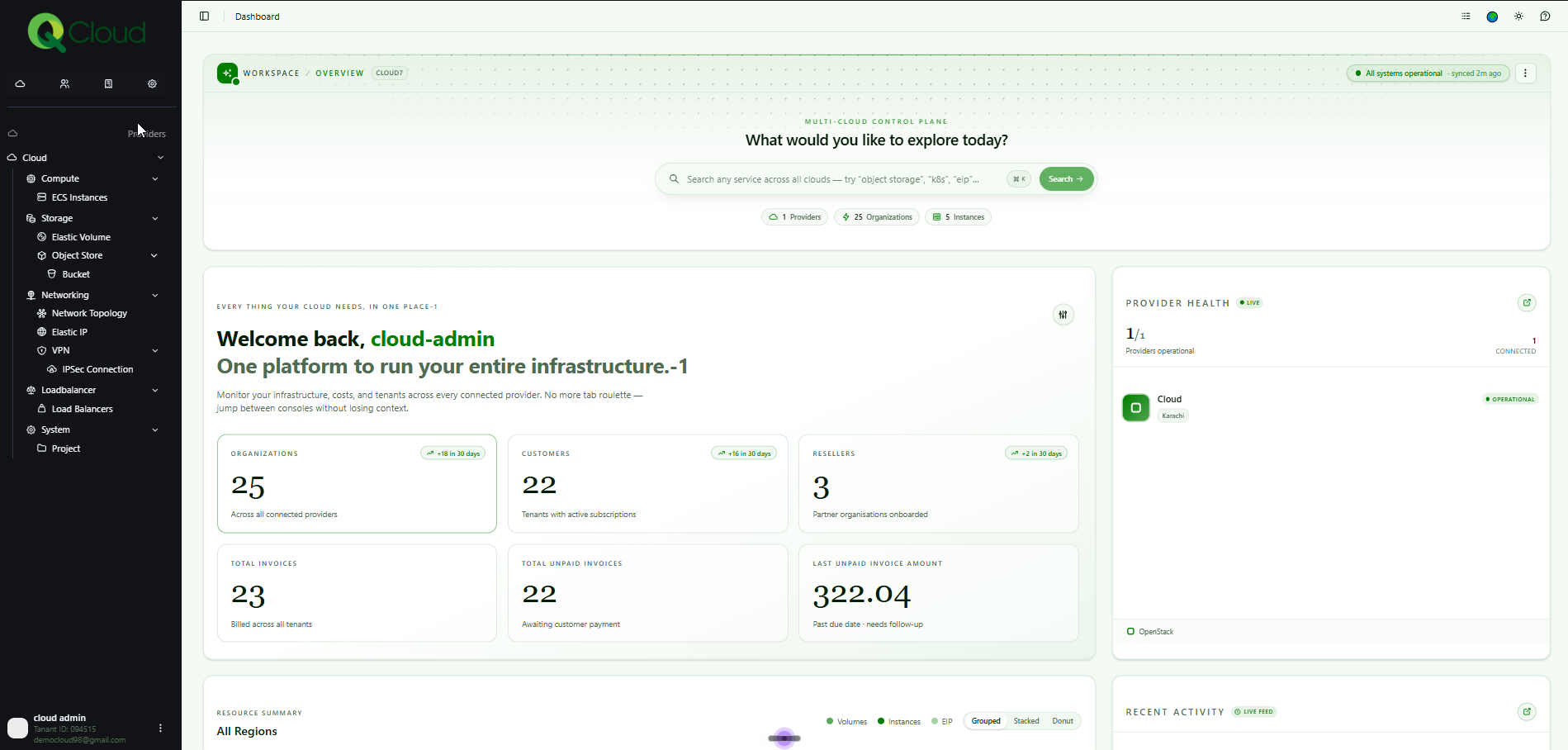
The moment you log in, you’ll land on a completely reimagined dashboard your single control plane for everything.
At the top, a global search bar lets you find any resource by name across all your clouds instantly — just start typing a resource name, like “test” and it will surface every instance, volume, EIP, or other resource whose name contains it. Below that, live summary cards give you an at-a-glance view of your organizations, customers, resellers, invoices, and unpaid amounts, so you always know where things stand.
The Resource Summary chart visualizes your volumes, instances, and Elastic IPs with grouped, stacked, and donut views while a live Provider Health panel and Recent Activity feed keep you updated in real time on everything happening across your infrastructure.
No more jumping between tabs to piece together the full picture. It’s all here, in one place.
3.2 Instance Topology
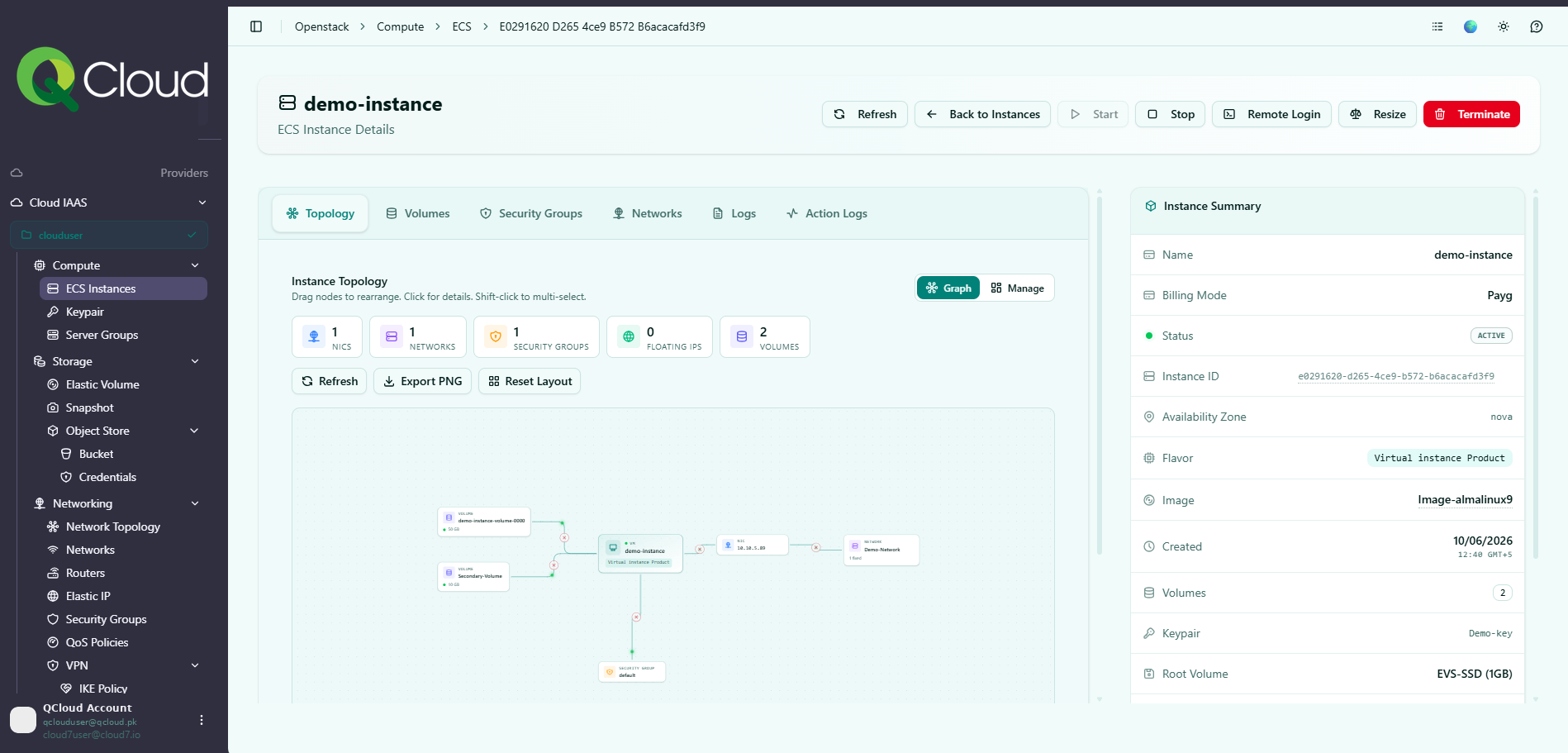
Understanding how your compute resources fit together is now effortless. Instance Topology gives you a clear, visual view of your instances and how they relate to the rest of your environment so you can see your setup at a glance instead of reading through lists.
4. Admin-Level Changes
For administrators, we’ve added powerful new controls that make managing your platform more secure and more flexible.
4.1 Multiple Tax Rules For Admins/Resellers
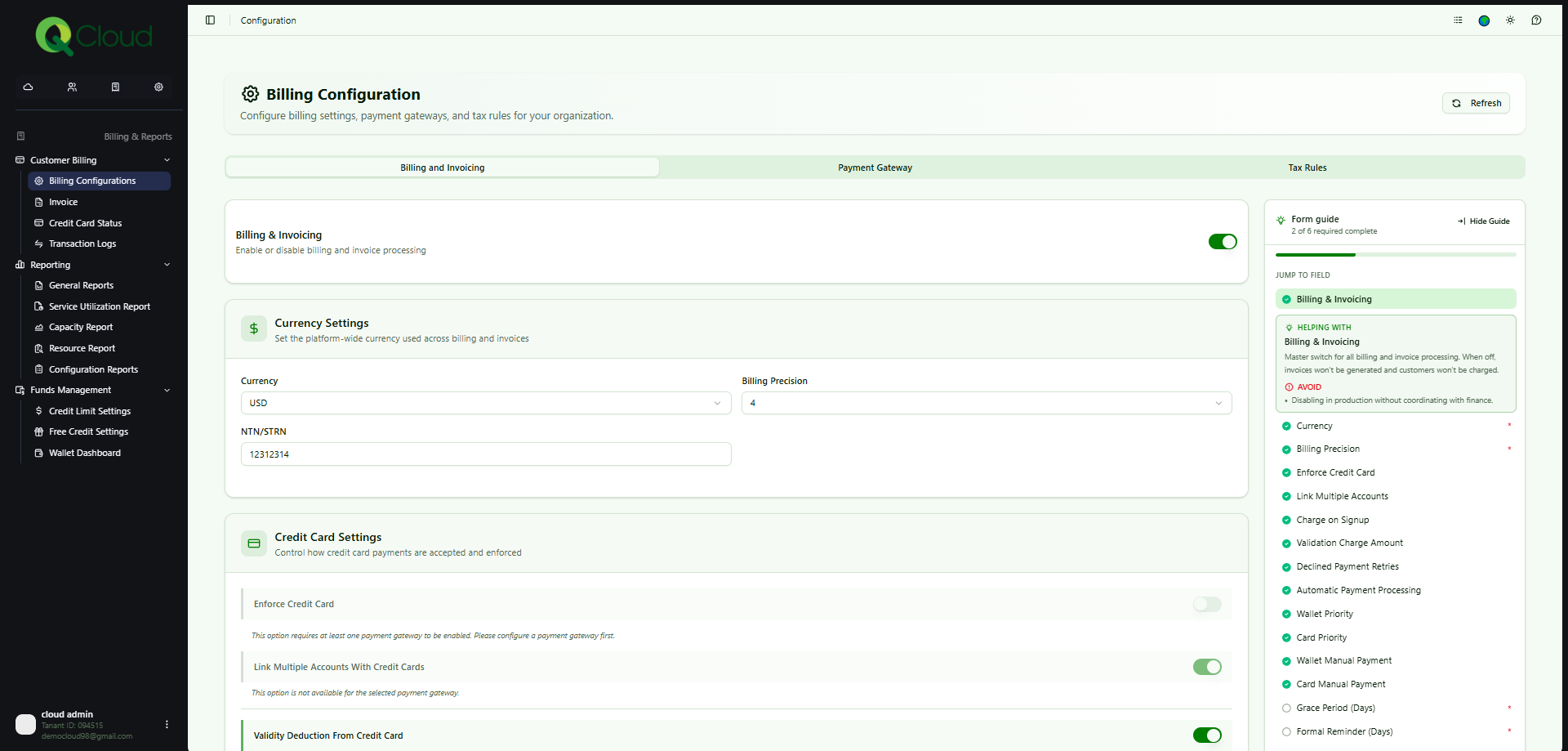
Billing across regions and customer types often means different tax treatments and the Console now handles that natively. With Multiple Tax Rules, admins can define and apply more than one tax rule (for example, a Sindh-specific rate, a custom default, or a per-contract rule) rather than being locked into a single flat tax.
Tax rules live within the redesigned Billing Configuration (under a dedicated Tax Rules tab) and flow through to subscriptions and invoices automatically so every customer is billed correctly and compliantly, based on the rule that applies to them.
5. Performance & Experience Improvements
Beyond the headline features, the entire Console has been tuned for a better experience:
- Faster loading times across pages, so you spend less time waiting.
- A cleaner, more modern interface that reduces clutter and puts the important things front and center.
- Enhanced navigation with a clearer sidebar and breadcrumb structure, so you always know where you are and how to get where you’re going.
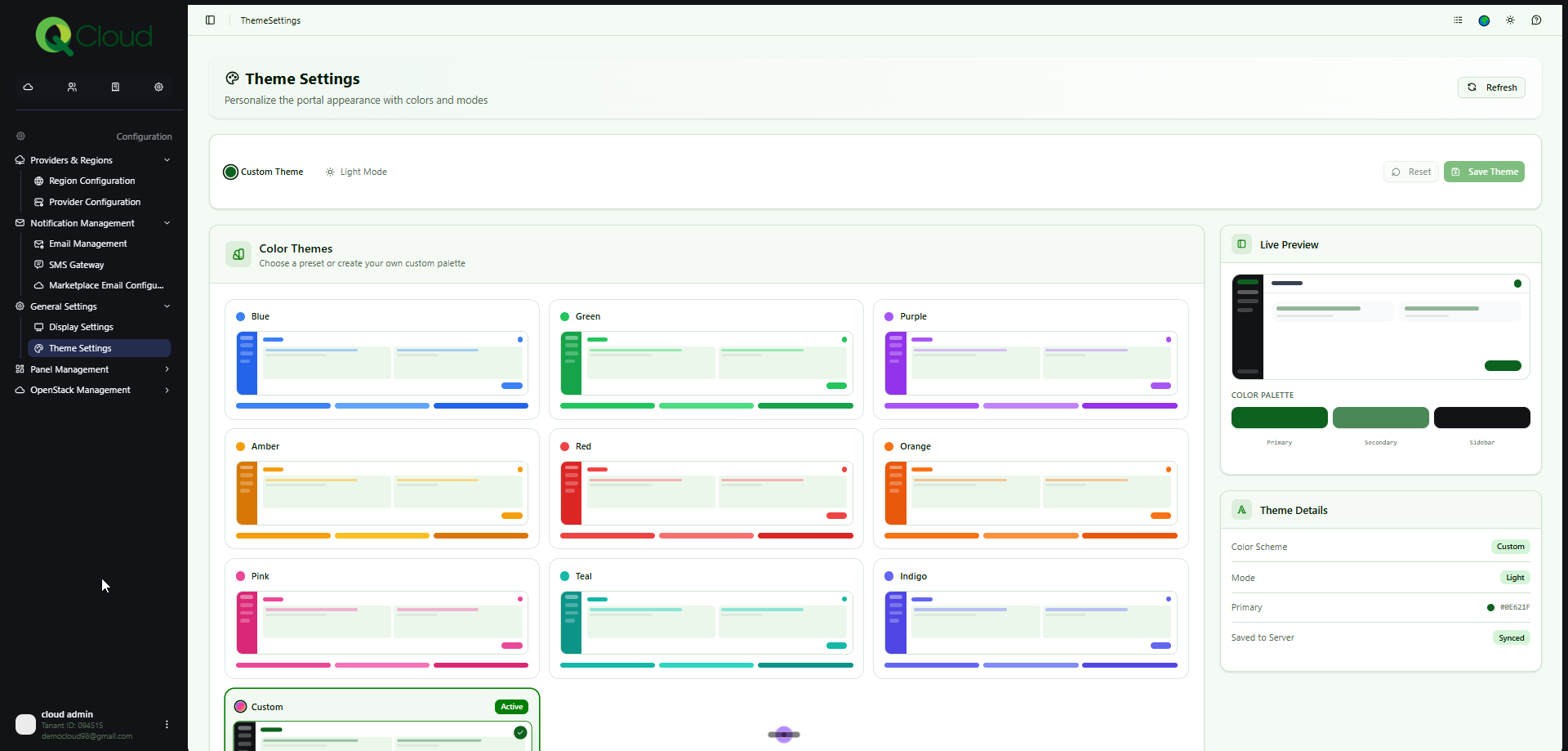
- Light and dark modes, plus customizable color themes, so the Console looks the way you want it to.
6. Getting Started
Experiencing the new Console takes just one step: log in at console.qcloud.pk.
Your existing login credentials remain unchanged sign in with the same username and password you already use. There’s nothing to migrate and nothing to set up. You’ll land directly on the new dashboard, ready to go.
7. Switching Back Anytime
We know change takes a moment to get used to. That’s why the existing portal will remain fully available for a set period at console-old.qcloud.pk. You can switch back at any time via the banner on your dashboard so you’re always in control of the transition, at your own pace.
8. We’d Love Your Feedback
The new Console is just the beginning, and your input shapes what comes next. As we continue to enhance QCloud, we welcome your feedback, ideas, and suggestions.
Write to us anytime at support@qcloud.pk we’re listening.
Thank you for choosing QCloud. We appreciate your continued trust and look forward to serving you with an even better cloud experience.
The QCloud Team